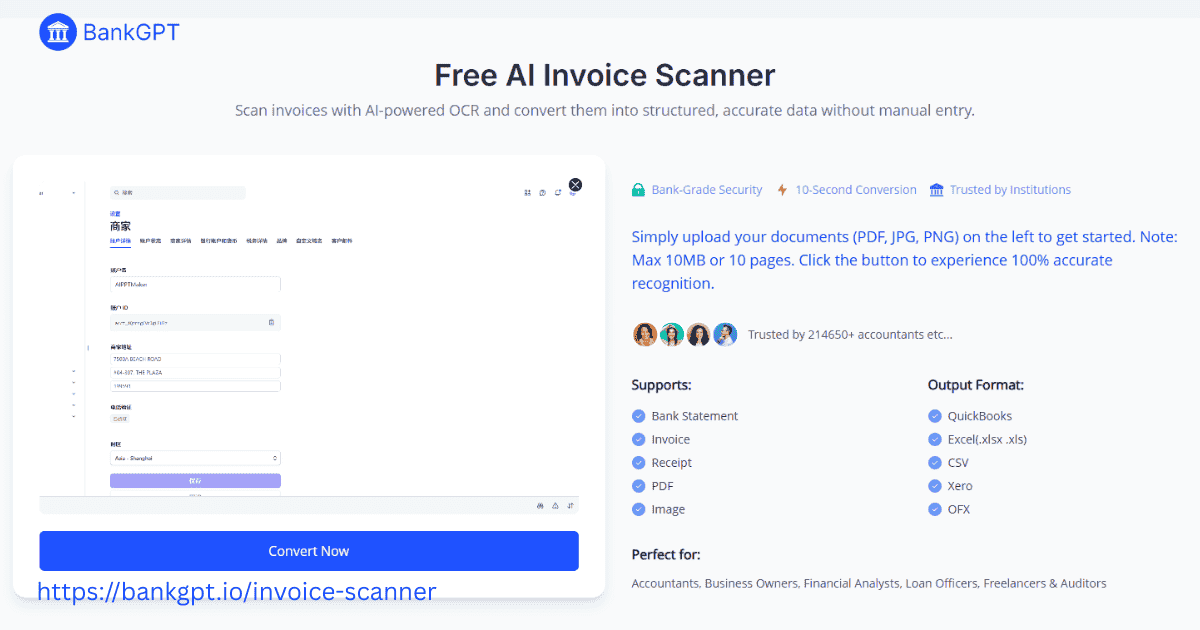
Manual invoice management remains a major bottleneck for finance teams worldwide. Manual data entry slows down approval cycles, increases operational costs, and introduces human error.
Transitioning to automated systems can cut invoice processing costs by up to 80% while dramatically shortening payment cycles. Understanding the process behind an AI invoice scanner is essential for streamlining your financial operations.
This guide explores the mechanics of AI invoice scanners, how they surpass traditional Optical Character Recognition (OCR), and how to leverage tools like Automate AI Invoice Scanner to achieve touchless accounts payable workflows on BankGPT.
What Is an AI Invoice Scanner and How Does It Work?
Defining the Modern AI Invoice Scanner
An AI invoice scanner is a software solution powered by artificial intelligence, machine learning (ML), and Natural Language Processing (NLP) that automates the capture, extraction, structure, and validation of financial documents. Unlike traditional tools that rely entirely on human input, an Automate AI Invoice Scanner acts as an autonomous digital assistant capable of interpreting financial data with human-like contextual understanding.
The Underlying Mechanics: From Vision to Understanding
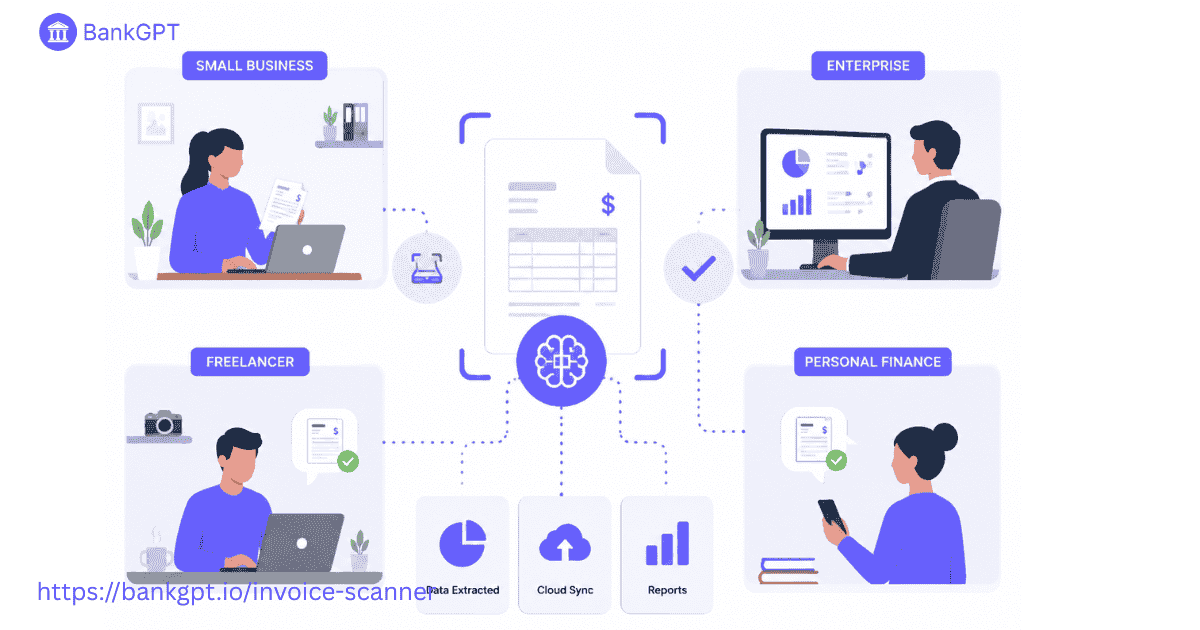
An AI invoice scanner does not just look at characters; it reads the document conceptually. Here is how the technology works under the hood:
- Computer Vision (Layout Analysis): The AI first analyzes the visual layout of the document, recognizing boundaries, tables, orientation, and logos. If an invoice image arrives tilted or upside down, computer vision automatically aligns it.
- Deep Learning & Neural Networks: Trained on millions of real-world financial documents, neural networks understand the underlying structure of invoices. The system learns that a currency symbol followed by a number at the bottom right usually represents the "Total Due," regardless of the specific layout.
- Natural Language Processing (NLP): NLP allows the software to understand textual context. For example, it can differentiate between an "Invoice Date," "Due Date," and "Shipping Date" by analyzing surrounding keywords and structural patterns.
- Confidence Scoring: When an Automate AI Invoice Scanner extracts data, it assigns a confidence percentage (e.g., 98%) to each extracted field. If a value falls below a specific threshold due to illegible handwriting or a smudged scan, the platform flags it for quick human verification.
How AI Invoice Scanner Software and OCR Handle Data Capture
Traditional OCR vs. AI-Driven Extraction
To truly appreciate an Automate AI Invoice Scanner, it helps to understand how it differs from legacy Template-Based OCR (Optical Character Recognition).
| Feature | Traditional Template OCR | AI-Powered Invoice Scanner |
| Setup Time | Days or weeks to build rigid templates for every vendor. | Ready out of the box; no templates required. |
| Adaptability | Fails completely if a vendor changes a column width or logo position. | Adapts dynamically to layout shifts. |
| Data Parsing | Reads text blindly without understanding its meaning. | Contextualizes fields (e.g., matching line items to descriptions). |
| Line-Item Complexity | Struggles with multi-page tables and complex grid formats. | Extracts nested table data and multi-page line items automatically. |
| Continuous Learning | Static; requires manual script updates when errors occur. | Continuously improves from human corrections via ML loops. |
The Power of Dynamic Data Capture
An Automate AI Invoice Scanner bridges this gap using context-aware machine learning models. By examining the semantic relationships between text blocks, it extracts data from unstructured invoices and formats it into clean JSON, CSV, or XML data structures ready for your Enterprise Resource Planning (ERP) platform.
The Step-by-Step Process of Scanning and Processing Invoices
Implementing an Automate AI Invoice Scanner transforms your accounts payable (AP) pipeline into an automated sequence. Here is the step-by-step technical journey an invoice takes from receipt to reconciliation.
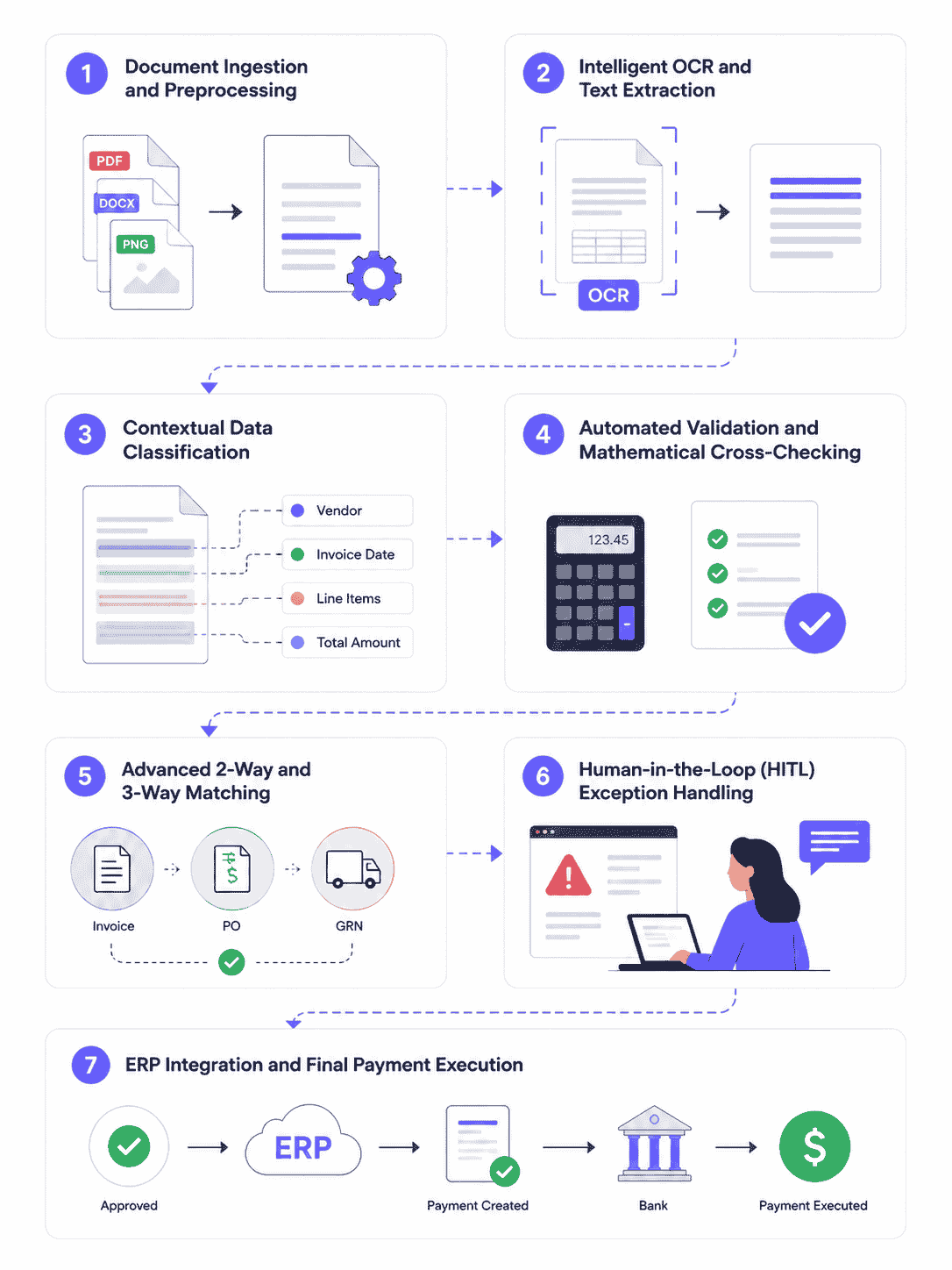
Step 1: Document Ingestion and Preprocessing
Invoices arrive through various channels—email attachments, paper scans, web portal uploads, or API endpoints. The AI invoice scanner automatically pools these documents and performs preprocessing:
- De-skewing and rotating images for optimal orientation.
- Enhancing contrast and removing noise from low-quality scans.
- Converting varied file types (PDF, JPEG, PNG, TIFF) into a unified format for data parsing.
Step 2: Intelligent OCR and Text Extraction
The system applies deep-learning OCR to read the text across multiple regions simultaneously. Advanced models process a standard single-page document in less than 200 milliseconds, mapping out both global headers and deep transactional tables.
Step 3: Contextual Data Classification
The Automate AI Invoice Scanner categorizes and isolates critical financial variables:
- Header Data: Vendor Name, Tax ID, Invoice Number, Issue Date, Due Date.
- Line-Item Data: Item Codes, Quantities, Unit Prices, Line Totals.
- Footer Data: Subtotal, Tax Rates, Shipping Fees, Grand Total Due, Payment Terms.
Step 4: Automated Validation and Mathematical Cross-Checking
Once the text is isolated, the AI platform executes automatic validation tests:
- Mathematical Consistency: It verifies that individual line items sum correctly to the subtotal, and that the tax rates applied equal the final grand total.
- Database Lookup: The system cross-references the vendor name and Tax ID against your internal database records to prevent duplicate or fraudulent entries.
Step 5: Advanced 2-Way and 3-Way Matching
To ensure payment accuracy, the automated software performs multi-way matching checks:
- 2-Way Matching: Verifies that the invoice data aligns perfectly with the issued Purchase Order (PO).
- 3-Way Matching: Cross-references the invoice with both the original PO and the warehouse Goods Received Note (GRN) to confirm items were delivered before releasing payment.
Step 6: Human-in-the-Loop (HITL) Exception Handling
If an invoice fails a mathematical check, or if a data field receives a low confidence score, it is flagged for review. AP staff are presented with an intuitive side-by-side view where they can click on the correct field to update the data instantly. The underlying machine learning model logs this correction, improving its performance for future runs.
Step 7: ERP Integration and Final Payment Execution
Once validated, the structured data is pushed directly into your financial software (such as QuickBooks, Xero, NetSuite, or SAP) via webhooks or native APIs. The invoice is automatically assigned General Ledger (GL) codes, and payment is scheduled based on the vendor's payment terms.
Real-Life Use Cases for Businesses and Personal Workflows
Deploying an Automate AI Invoice Scanner offers distinct operational advantages across a wide range of administrative scales.
1. Enterprise Accounts Payable Departments
Large organizations handling thousands of vendor bills monthly use enterprise automation platforms like BankGPT to process global invoices across multiple currencies and tax jurisdictions. By integrating an Automate AI Invoice Scanner, enterprises can scale their invoice capacity without expanding headcount, shifting their team's focus from data entry to cash flow analysis.
2. Small and Medium Enterprises (SMEs)
SMEs often face tight administrative capacity. An Automate AI Invoice Scanner minimizes manual errors, ensures early-payment discounts are secured, and provides real-time visibility into operational spend.
3. Freelancers and Sole Proprietors
For contractors and solo entrepreneurs, manual expense tracking takes time away from billable work. Freelancers use mobile-optimized AI scanners to snap photos of receipts and business purchases on the go, automatically extracting tax-deductible expenses directly into their personal bookkeeping systems.
The Key Benefits of an Automated AI Invoice Scanner
Replacing manual review structures with an intelligent data capture pipeline yields immediate financial and operational returns.
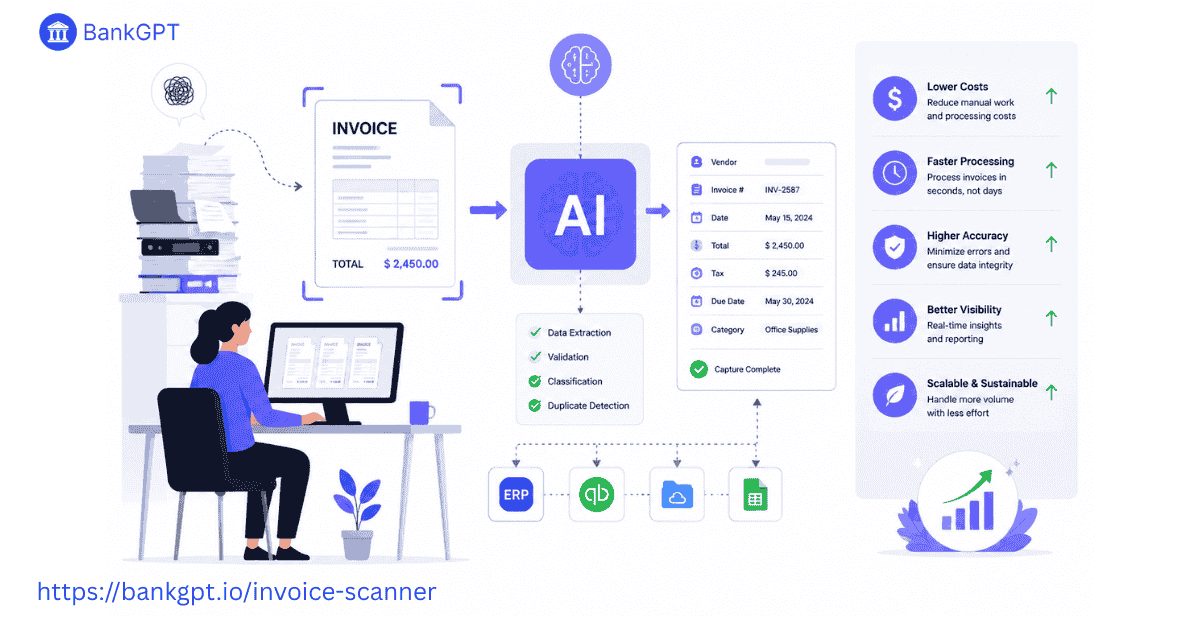
Substantial Time and Labor Reductions
Manual processing can take anywhere from 5 to 15 minutes per invoice. An Automate AI Invoice Scanner extracts data and passes it through validations in seconds, dropping your per-invoice processing time by up to 90%.
Eliminating Costly Human Errors
Manual typing often leads to misplaced decimals, duplicated payments, or incorrect vendor assignments. AI platforms maintain near-perfect precision across massive batches of documents, significantly reducing the cost of resolving manual errors.
Strengthening Vendor Relationships
Delayed invoice approvals lead to late payments and strained supplier relationships. Accelerating your validation cycles ensures suppliers are paid on time, positioning your business to negotiate better payment terms or early-payment discounts.
Enhanced Compliance and Fraud Prevention
Advanced AI platforms detect internal anomalies, duplicate invoice numbers, and subtle alterations in vendor bank accounts. Automated cross-referencing serves as a reliable guard against phishing and billing fraud.
How to Choose the Right Invoice Scanning Software
Selecting the optimal Automate AI Invoice Scanner for your operational framework requires evaluating a few core criteria.
Evaluate API Integration Capabilities
Your choice of software should integrate cleanly into your existing workflows. Ensure the scanner offers native connectors or flexible webhooks to link with your ERP, accounting software, and databases.
Look for High Line-Item Extraction Accuracy
Many simple solutions excel at extracting basic header data but struggle with extensive, multi-page tables. Ensure the tool you select can accurately handle granular line-item extraction and complex nested tables.
Confirm Scalability and Volume Handling
Choose an infrastructure built to handle volume spikes without performance drops. Flexible AI systems like BankGPT adapt seamlessly to growing transaction volumes, ensuring reliable processing as your business scales.
Review Security and Compliance Standards
Invoices contain sensitive financial information and vendor data. Select software providers that prioritize data security, offering enterprise-grade encryption (AES-256) and strict compliance with regulations like GDPR and SOC 2.
How to Use an AI Invoice Scanner on Mobile Apps
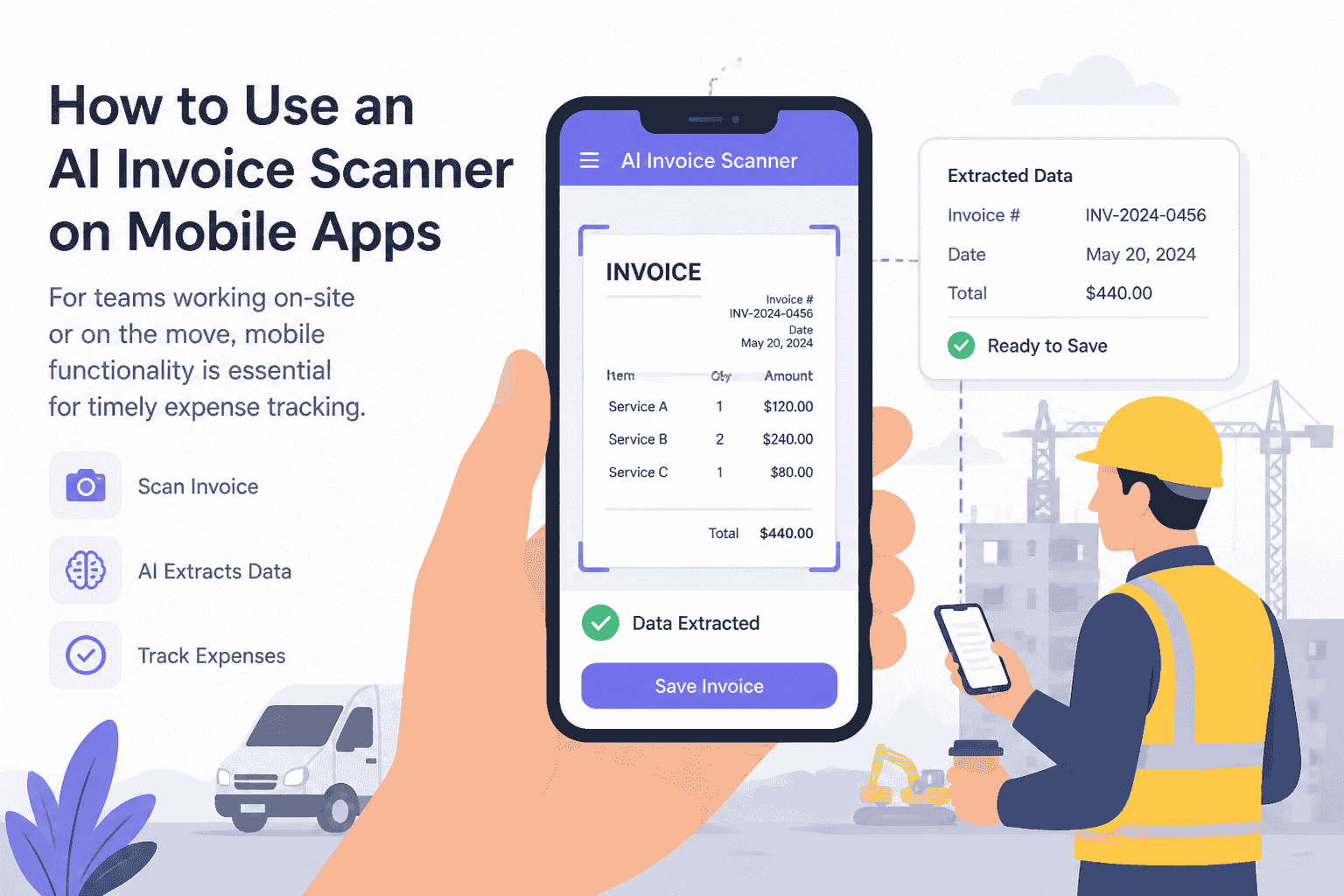
For teams working on-site or on the move, mobile functionality is essential for timely expense tracking.
Step 1: Capture the Document Clearly
Open your AI-powered scanner app. Align the physical invoice within the camera frame, ensuring adequate lighting and keeping all four corners visible. Modern mobile engines will automatically capture the document once it's in focus.
Step 2: On-Device Processing and Upload
The mobile application trims, squares, and enhances the captured image before routing it to the cloud-based processing engine.
Step 3: Verify and Approve the Extracted Data
Within seconds, the mobile app displays the extracted totals, vendor names, and line items on your screen. You can review the details, make any necessary adjustments, and approve the invoice directly from your phone.
Conclusion: Automate with Intelligence
Relying on manual invoice processing can limit your operational agility and scale. Implementing an Automate AI Invoice Scanner allows your organization to eliminate repetitive data entry, minimize processing errors, and optimize accounts payable workflows.
By adopting AI-driven systems like BankGPT, you can transform your back-office operations into an efficient, secure, and fully scalable financial pipeline. Explore the future of automated accounts payable today and give your finance team the tools to focus on strategic growth.