
Use our Excel Difference Checker to compare two spreadsheets and highlight every change. Identify added, removed, and modified data quickly without manually reviewing thousands of cells.
 99.9% Accuracy
 200+ Languages
 Unlimited Count
 Multi Files
 Private and Secure
Excel Difference Checker with AI: Find Differences Between Excel Files
Find differences between two Excel files with our online Excel Difference Checker. Highlight changed cells, missing data, and mismatched values automatically.
What is Excel Difference Checker?
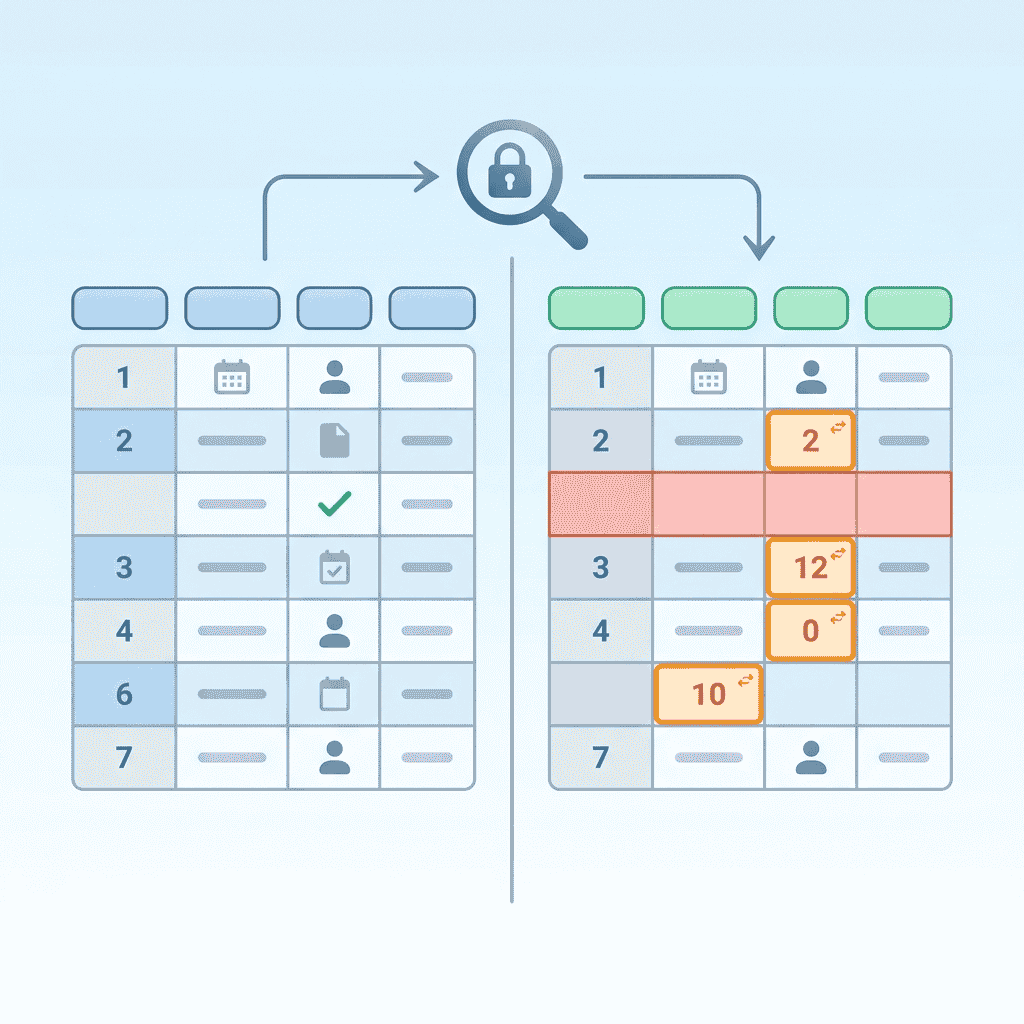
Our Excel Difference Checker is a browser-based analytics tool designed to find Excel difference patterns between two spreadsheets. When managing extensive financial reports, inventory logs, or raw CSV exports, identifying cell updates manually takes hours. This system automates the process by performing a complete Excel difference analysis locally in your browser. It detects modified cell values, deleted rows, and new entries with total precision. Users can filter matching records or remove conflicting data through repetitive runs without downloading desktop software. Because processing happens locally, your private information never leaves your device while you inspect each critical Excel difference.
Why Choose BankGPT's Excel Difference Checker?
Selecting BankGPT's Excel Difference Checker guarantees fast, accurate, and completely confidential spreadsheet audits. Traditional tools upload confidential corporate reports to remote servers, raising major privacy concerns. In contrast, our platform evaluates every Excel difference directly inside your web browser. You can execute bulk comparison workflows across massive CSV files, verify missing entries, and isolate unique rows in seconds. The engine maintains consistent calculations even during continuous, multi-pass audits. By choosing BankGPT to track every Excel difference, you streamline administrative workflows, save valuable operational hours, and enjoy permanent free access to strong spreadsheet reconciliation tools.

Tired of Spotting Spreadsheet Discrepancies Line by Line?
Manually auditing giant spreadsheets to catch an unexpected Excel difference is exhausting and prone to human error. Accountants and data analysts routinely waste hours checking formulas, tracking modified values, or merging overlapping customer tables. A single unnoticed discrepancy can corrupt financial forecasts, lead to shipping delays, or generate inaccurate tax filings. Ordinary online comparison tools often crash under heavy loads or compromise corporate privacy by storing files in the cloud. You need a dependable, fast solution that reveals every subtle Excel difference automatically while keeping confidential database files completely secure on your computer.

Why Choose BankGPT's Excel Difference Checker?
These features help teams detect every spreadsheet discrepancy faster, more safely, and with less manual effort.
Local In-Browser Processing & Total Data Privacy
Your private financial files and customer databases are never sent to external servers. The local engine processes every Excel difference locally within your web browser, ensuring zero risk of confidential data leakage.
Structured Spreadsheet Reconciliation
Achieve flawless precision across all comparison iterations. The algorithm systematically analyzes every single cell, highlight, and row, pinpointing each Excel difference without missing altered numbers or misplaced text entries.
High-Speed Bulk Processing for Large CSV and Excel Files
Easily analyze massive data tables containing tens of thousands of rows. Designed for speed, our engine renders every Excel difference within seconds, eliminating frustrating system lag or browser freezes.
Flexible Data Cleaning, Removal, and Repeated Audits
Filter matching records or in seconds purge unwanted variance across multiple files. You can repeatedly execute checks on refined datasets, ensuring complete control over every Excel difference before finalizing reports.
Free Online Access with Zero Software Setup
Start comparing datasets in seconds without installing heavy programs, purchasing license keys, or signing up for subscriptions. Every feature needed to spot an Excel difference is available right inside your standard web browser.
Flexible Format Support Across Spreadsheet Sources
Work with .xlsx, .xls, and .csv sources in the same comparison workflow. The parser adapts to common spreadsheet exports so teams can audit data without reshaping files first.
How to Use BankGPT's Excel Difference Checker?

Step 1: Upload Your Target Files
Drag and drop your primary and secondary spreadsheets into the left and right upload areas. The system supports .xlsx, .xls, and .csv data structures for immediate analysis.

Step 2: Configure Column Mapping and Compare
Click the Compare button to set up your primary keys and column mappings. The algorithm quickly scans both documents to evaluate every Excel difference across rows and columns.

Step 3: Review Results and Export Cleaned Data
Examine the side-by-side display highlighting modified, missing, or added entries. Once satisfied with the results, click to download your cleaned file with every Excel difference clearly organized.
The Kinds of Problems BankGPT Excel Difference Checker Solves
Financial Audit Reconciliation
Compare billing logs, payment reports, and monthly close spreadsheets to catch subtle value changes before they create reporting issues.
Operations and Inventory Checks
Spot missing rows, mismatched item details, and changed quantities across vendor and inventory spreadsheets in seconds.
Database Export Review
Validate spreadsheet and CSV exports after migrations or updates by highlighting altered records, new entries, and deleted rows clearly.
Start Using BankGPT's Excel Difference Checker Free
Experience the fastest way to compare two spreadsheets online. Detect every single Excel difference, isolate altered cells, and export clean datasets without uploading files to remote servers.
Start NowWhat Users Say About Our BankGPT's Excel Difference Checker

"Reconciling monthly billing logs used to take our accounting team full afternoon shifts. With this online Excel Difference Checker, we drag two CSV spreadsheets into the browser, and every mismatched payment is marked in seconds. It detects each Excel difference in seconds while guaranteeing our financial records stay completely private on our local computers. A game changer for corporate audits."

"I manage huge e-commerce inventory catalogs with over fifty thousand SKUs. Finding missing rows used to cause endless headaches. Using this Excel Difference Checker allows me to perform repeated data matching passes with less manual work. The speed at which it identifies every single Excel difference across large files is phenomenal, and I love that it costs nothing while keeping customer records secure."

"As a freelance web developer, I constantly compare database exports. BankGPT's Excel Difference Checker gives me total certainty when comparing schema changes. It flags modified cells cleanly, so I never miss a critical Excel difference. The zero-server design means my clients' lists remain safe. It is by far the most reliable spreadsheet audit utility available today."

"Checking tax spreadsheets across multiple fiscal quarters required endless VLOOKUP formulas that frequently glitched. Switching to this tool transformed our entire compliance routine. The intuitive interface displays each Excel difference side by side, making discrepancies impossible to overlook. Knowing that every Excel difference is computed locally gives our compliance department complete peace of mind."

"Our supply chain logistics depend on accurate shipping manifests. We run daily file audits through this Excel Difference Checker to catch vendor unit errors before fulfillment. It highlights every Excel difference with pinpoint accuracy, preventing costly operational oversights. The software handles huge files with less manual work right in the web browser without any setup."

"When compiling quarterly marketing campaigns, merging leads from multiple agencies often creates duplicate and conflicting rows. This Excel Difference Checker lets us isolate unique values and purge mismatched records in minutes. It pinpoints every Excel difference clearly, saving our team dozens of working hours every single month."
BankGPT's Excel Difference Checker FAQs
Everything you need to know about finding spreadsheet differences online.