
Compare CSV files in seconds and discover differences between datasets, values, rows, and columns. Upload your files and let AI analyze changes, mismatched data, and updated values automatically with consistent calculations.
 99.9% Accuracy
 200+ Languages
 Unlimited Count
 Multi Files
 Private and Secure
CSV Compare with AI: Free Compare Two CSV Files & Data Online
Compare two CSV files online in seconds. Find differences between CSV data, rows, columns, and values with AI-powered comparison. Free, fast, and secure.
What is CSV Compare Online?
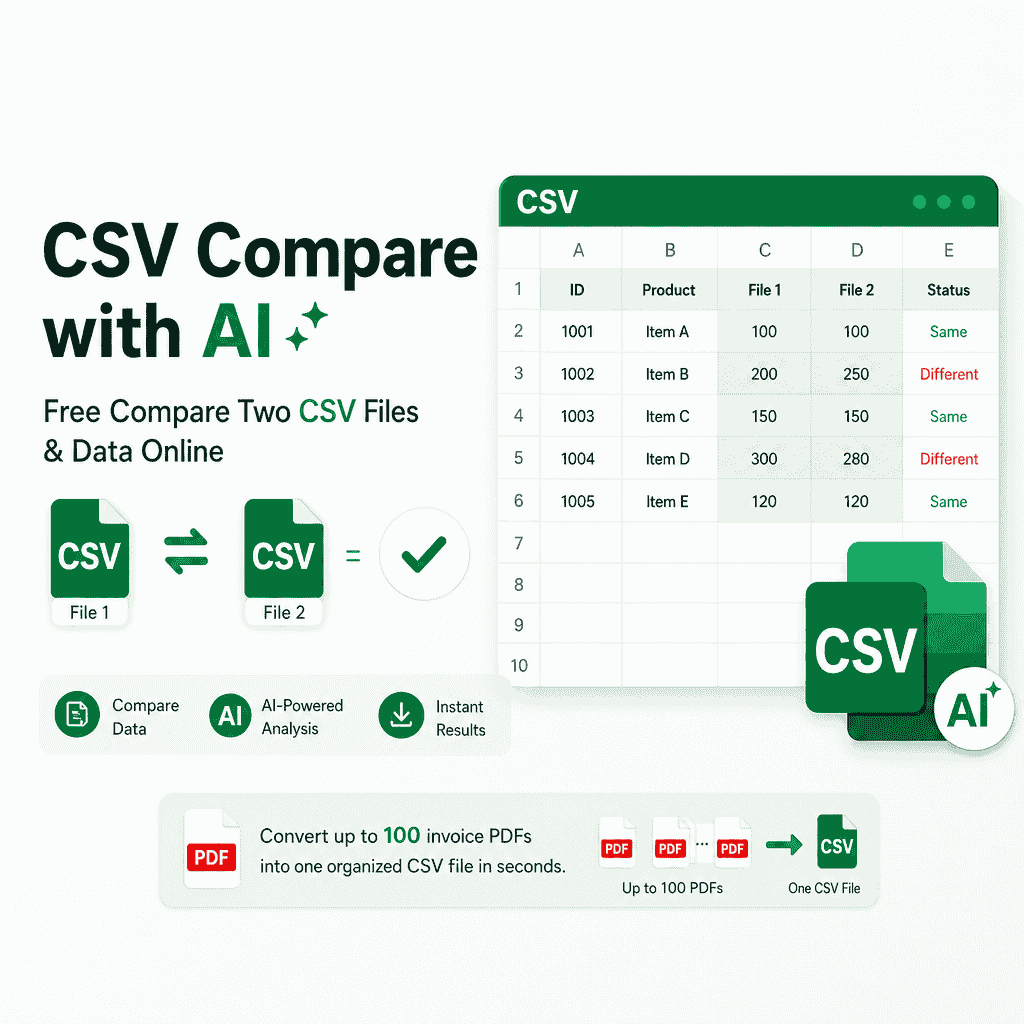
CSV Compare online is a lightweight data verification tool designed to check differences between two structured datasets in seconds. It compares rows, columns, and cell values side by side without needing local software installation. Users can easily track updated entries, identify matching records, and filter out inconsistent rows across multiple files. With clean visual feedback and consistent calculations, it simplifies data validation for spreadsheets, exports, and databases.
Why Choose BankGPT's CSV Compare?
BankGPT's CSV Compare performs data comparisons in your web browser, so source files stay on your device during the comparison. It offers side-by-side diff highlighting, automatic column mapping, and row filtering for data auditing and reconciliation.

Tired of Checking Mismatched Rows and Columns Line by Line?
Manually reviewing thousands of rows across exported spreadsheets takes hours and frequently leads to human error. Downloading complex desktop programs or risking sensitive client details on unknown remote servers creates security risks and setup delays. Modern workflows require a fast, accurate method to highlight changes and verify records in seconds.

What Makes BankGPT's CSV Compare Stand Out?
These features make CSV comparison faster, safer, and easier for everyday data review and cleanup.
Local In-Browser Processing
Your data remains on your computer because all calculations execute in your local browser, eliminating security leaks and protecting confidential company information.
Clear Comparison Results
Advanced parsing engines detect exact word, number, and punctuation variations, guaranteeing zero missed differences and completely reliable audit results every single time.
Free with No Registration Required
Access all features immediately without entering credit cards, email addresses, or creating software user accounts, making quick file checks simple and Fast.
Handles Large Datasets Fast
Optimized file parsing engines quickly inspect thousands of rows and columns without browser lag, visual freezing, or system crashes during heavy workloads.
Flexible Data Matching & Filtering
Choose specific key columns to isolate matching data or automatically filter out unique rows, allowing repeatable multi-stage comparison routines on raw inputs.
Fast Export of Comparison Results
Download your final structured comparison outputs immediately in clean CSV formatting, making downstream database updates and reporting tasks seamless and straightforward.
How to Use BankGPT's CSV Compare?
Step 1: Upload Your Two CSV Files
Drag and drop your original CSV file into the left panel and the updated CSV file into the right panel to begin loading your datasets.

Step 2: Configure Column Mapping and Compare
Click the Compare button to automatically align corresponding columns or manually specify key field mappings for precise cross-referencing between rows.

Step 3: Review Differences and Download Results
Examine the highlighted matching and differing records side by side, refine your filters as needed, and export the sanitized output data file in seconds.
The Kinds of Problems BankGPT CSV Compare Solves
Financial Reconciliation
Compare accounting exports, transaction ledgers, and monthly reports to catch changed values and mismatched records before they affect decisions.
Database Validation
Check two CSV dataset exports after migrations or updates to identify missing rows, changed fields, and data inconsistencies quickly.
Spreadsheet Version Review
Review two CSV versions side by side to confirm which rows, columns, and values changed before sharing or importing the final data.
Start Using BankGPT's CSV Compare Free
Process your local CSV datasets safely, remove unwanted row differences, and get results designed for accuracy without installing extra tools.
Start NowWhat Users Say About Our BankGPT's CSV Compare

"As a financial analyst handling confidential ledger exports, I cannot upload client raw data to external servers. Using this CSV compare tool gives me absolute peace of mind because everything stays local. It helps me spot row differences in seconds across massive monthly reports with total precision and efficiency."

"We used to waste time running bulky desktop scripts to check product inventory lists. Switching to BankGPT CSV Compare cut our auditing time down to seconds. Finding matching rows and filtering out mismatched data worked smoothly on our very first attempt."

"This CSV compare service saves me hours when verifying database exports after software migration. The side-by-side visual diff makes row changes obvious immediately. The fact that it requires no account signup makes it our go-to browser utility every week."

"I frequently need to run repeated comparison passes over the same dataset to isolate specific records. This online tool handles iterative workflows without slowing down or crashing. It is reliable, intuitive, and accurate for all my data cleaning operations."

"The column mapping function makes cross-referencing messy CSV files effortless. I no longer worry about shifted columns breaking my diff output. Using CSV Compare has streamlined our entire content verification routine across multiple teams."

"I was skeptical that a web tool could handle large file checks, but this engine surprised me completely. It loads fast, processes thousands of rows within seconds, and exports clean results with zero missing records."
BankGPT's CSV Compare FAQs
Everything you need to know about comparing two CSV files online.