Every small business, from a neighborhood café to a growing e-commerce store, needs to issue receipts. Yet knowing how to make a receipt that looks professional—and holds up at tax time—is often treated as an afterthought until a refund or an audit forces the issue. The good news: you don't need accounting software or a point-of-sale system to get started. In this guide, we'll walk through exactly how to make a receipt for your small business, why it matters in 2026, and the best practices that keep your records audit-ready. If you'd rather skip the typing, BankGPT's receipt generator does the formatting and math for you so you can focus on serving customers instead of fighting spreadsheets.

Why Small Businesses Need to Make Receipts in 2026
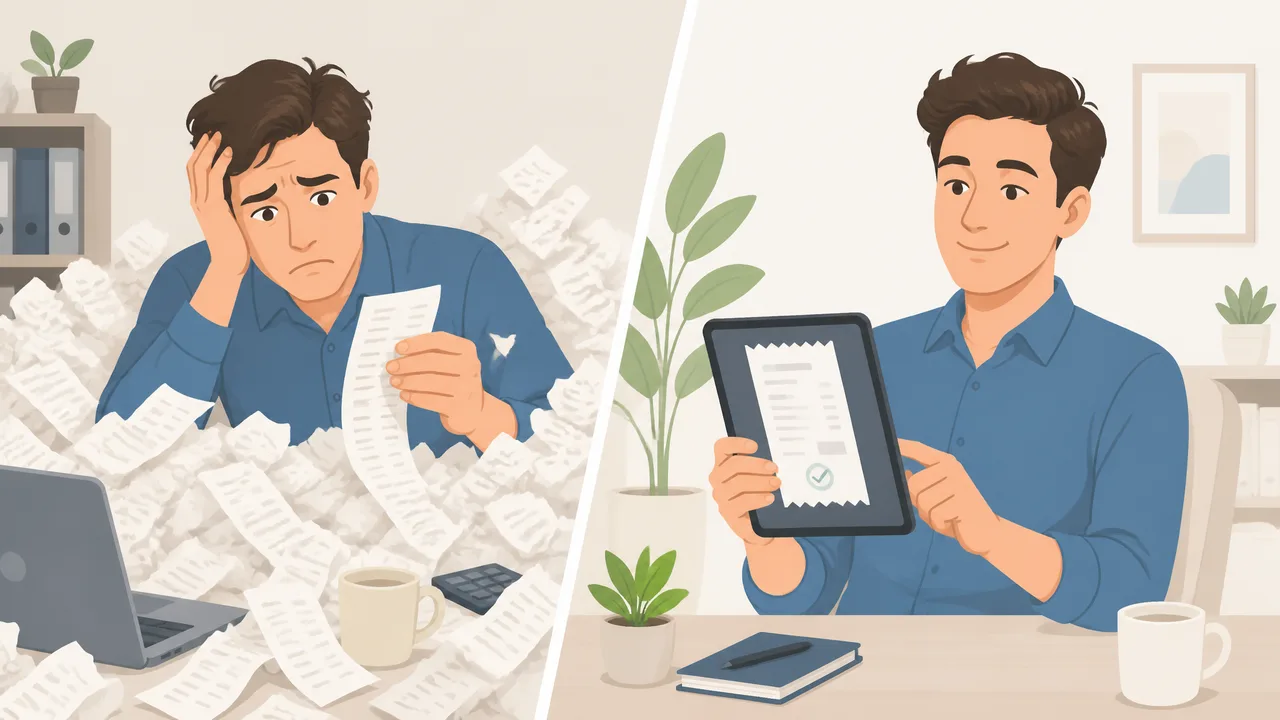
Paper receipts get lost. Spreadsheet templates drift out of date. Hand-typed totals invite rounding errors that surface at the worst possible moment. Learning how to make a receipt—usually with a free receipt generator—solves the boring-but-critical problem of issuing consistent, accurate receipts without hiring extra admin help or paying for heavyweight software. For a small business or freelancer operating on thin margins, the difference between a 10-minute manual chore and a 30-second automated step compounds into real hours every week.
The shift toward digital-first bookkeeping is also accelerating. More payment processors, expense apps, and tax authorities expect machine-readable records. When you learn how to make a receipt the right way, every transaction becomes a tidy, searchable record instead of a crumpled slip in a drawer. That matters more than it sounds: a clean receipt trail is what lets you claim expenses confidently, answer a customer dispute in seconds, and walk into tax season without dread. It is also the quiet foundation of good cash-flow hygiene, because you always know exactly what came in and when.
Here is what a good receipt generator delivers:
- Speed: Generate a complete receipt in under a minute, even during a busy rush.
- Accuracy: Tax, subtotals, and change are calculated automatically—no mental math.
- Compliance: Consistent formatting that meets basic record-keeping expectations.
- Professional image: Branded, legible receipts build trust with customers.
- Searchable records: Every receipt is saved and retrievable when you need it.
What to Look for in a Tool to Make Receipts Online
Before you learn how to make a receipt with any tool, check that it covers the workflows you actually run. Not every app that promises receipts is built for small-business reality, so a quick checklist saves you from switching tools three months later.
- Customization: Add your business name, logo, address, and tax ID so receipts look official.
- Tax and tip handling: Built-in fields for sales tax, service charges, and discounts.
- Line-item detail: Capture product names, quantities, and prices per row.
- Flexible export: Download as PDF or copy a shareable link for emailing customers.
- No sign-up needed: A tool that lets you make a receipt in seconds—no account, no sales call—beats one that gates the basics behind registration.
- Privacy: Your transaction data should stay yours, not be resold.
If a tool checks those boxes, it will serve a solo operator and a ten-person team equally well. The goal is simple: when you make a receipt, the tool should handle the math and layout so you can focus on the sale, not the paperwork. A good tool disappears into the background and lets the receipt take care of itself.
How to Make a Receipt for Small Business: Step-by-Step Guide
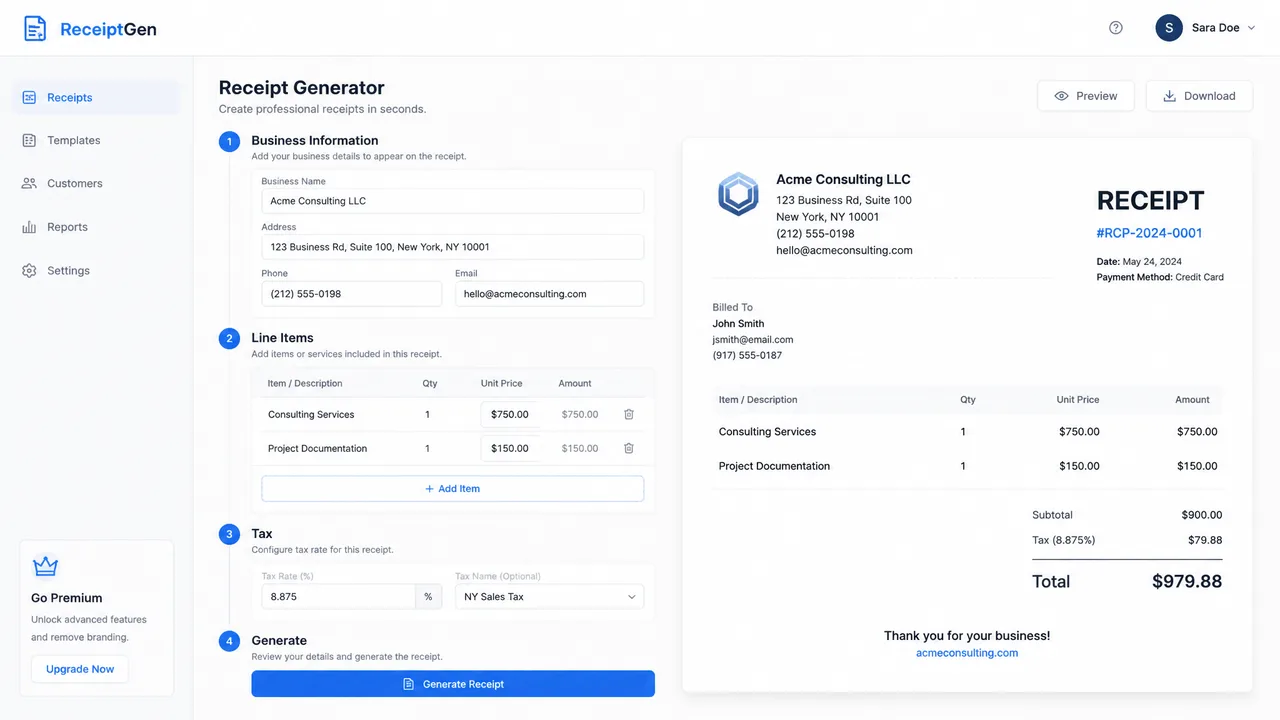
The appeal of learning how to make a receipt online is that the workflow is dead simple. Below is the exact path most users follow on BankGPT, and it works the same way whether you sell coffee, haircuts, or consulting hours.
Getting Started: Make Your First Receipt
- Open the tool. Navigate to the receipt generator and start a new receipt—no account required for a first try.
- Enter business details. Add your store name, address, and tax ID so the header is correct every time.
- Add customer and transaction info. Include the date, a unique receipt number, and the customer name if relevant.
- List line items. Type each product or service, its quantity, and unit price. Totals update automatically.
- Set tax and notes. Apply the correct tax rate and add a thank-you note or return policy.
- Generate and download. Preview the receipt, then export it as a PDF or share a link.
When you make a receipt for the first time, the whole process takes under a minute. Most people who make a receipt this way never go back to handwriting them, because the software removes the two things that make manual receipts painful: arithmetic and legibility. The first receipt you create also becomes a reusable template, so the second one is even faster.
Best Practices for Accurate Receipt Results
Any tool that helps you make a receipt removes math errors, but the quality of your inputs still matters. Follow these habits to keep every document clean and defensible.
- Verify the tax rate once, then trust it. Confirm your local rate is entered correctly so every future receipt inherits it.
- Use consistent item names. "Americano" and "Large Americano" create messy reports later; pick one naming convention.
- Never skip the receipt number. A unique identifier is what lets you find, void, or refund a transaction months later.
- Keep a digital backup. Even though the tool stores records, email a copy to yourself or your bookkeeper as a second safeguard.
- Review before sending. A 5-second glance at the total prevents the awkward "sorry, here's the corrected one" follow-up.
When you make a receipt for a refund or exchange, these habits save you twice: once at the counter, once at tax season. Consistency is what turns a pile of receipts into a story your accountant can actually read.
Common Mistakes When You Make a Receipt
Even a simple document goes wrong often. The most common mistake people make a receipt with is forgetting the tax rate, which throws off every total downstream. Another is mixing item names across receipts, which turns a clean sales report into guesswork. A third is skipping the receipt number, which makes refunds impossible to trace. When you make a receipt by hand, all three happen constantly. The fix is to standardize: pick one tool, one format, and one naming rule, then let the software do the rest. If you make a receipt the same way every time, your records become consistent enough to survive an audit and clear enough to spot trends in your sales.
How to Make a Receipt for Free Without Compromising Quality
Free does not mean flimsy. You can make a receipt for free and still get branded, tax-ready documents if you choose the right tool. The trick is to separate "free to use" from "free but limited." A good free tool lets you make a receipt, add your logo, calculate tax, and export a PDF with no watermark. Avoid tools that make a receipt only after you enter a credit card—that is a trial, not free. BankGPT's receipt generator is free to start, needs no sign-up, and lets you make a receipt and download it in under a minute, which is exactly what a busy owner needs at the counter.
Make a Receipt That Customers Actually Keep
A receipt is also a marketing touchpoint. When you make a receipt that looks clean and includes your logo, customers are more likely to keep it and remember you. Add a short thank-you line, a return policy, or a discount code for next time. Small touches turn a plain slip into a reason to come back. If you make a receipt with a shareable link instead of paper, customers can file it in their email and find it months later when they need a warranty or expense proof, which quietly builds loyalty long after the sale.
Make a Receipt on Mobile vs Desktop
Most owners make a receipt from a phone at the counter, not a laptop in an office, so a mobile-friendly tool matters more than desktop polish. When you make a receipt on a phone, you want large tap targets, auto-calculating totals, and one-tap PDF export. Desktop still wins for batch work and monthly reconciliation, where you make a receipt copies or review a week of sales at once. The best tools let you make a receipt on either device and sync the records, so the receipt you issue on the floor matches the one your bookkeeper sees at month end.
When You Should Make a Receipt for Every Sale
Some owners only make a receipt for big-ticket items and skip small cash sales. That habit creates gaps in your books that surface at tax time. The rule of thumb: if money changes hands, you should make a receipt, no matter how small. A $4 coffee, a $20 tip, a $300 deposit—each deserves a record. When you make a receipt for every transaction, your daily totals reconcile perfectly and your accountant stops asking where the cash went. Consistent records also protect you if a customer disputes a charge six months later, because you can pull the exact receipt in seconds.
Make a Receipt as a Freelancer or Contractor
If you are a freelancer, you still need to make a receipt for every payment you collect. Clients expect proof of payment, and your accountant expects clean records. A receipt generator for freelancers lets you make a receipt in seconds between meetings, which keeps your cash-flow documentation tight without a separate accounting app. Unlike an invoice, which requests money, a receipt confirms it landed. When you make a receipt the moment a payment clears, you close the loop and avoid the "did I get paid?" panic at month end.
Frequently Asked Questions
How do I make a receipt for free without signing up?
Open a free receipt generator like BankGPT's receipt generator, enter your transaction details, and download—no account required. You only consider a paid plan if you need high-volume storage, team accounts, or advanced integrations.
Can I make a receipt online and download it as a PDF?
Absolutely. A receipt generator online lets you enter your details and export a print-ready PDF (or shareable link) instantly. PDF is the safest format for emailing customers and keeping clean records.
Are receipts from an online tool legally valid?
In most jurisdictions, a properly formatted digital receipt is valid proof of a transaction for both customers and tax records. Always include the date, amount, items, and your business identifier to make the record unambiguous.
What is the difference between a receipt and an invoice?
A receipt confirms a payment that has already happened; an invoice requests payment that is still due. Use a receipt maker for completed sales, cash, rent, or service payments, and an invoice when you're billing a client upfront.
Conclusion
Issuing receipts should never be the part of your day that eats an hour. Once you know how to make a receipt, what used to be a manual chore becomes a 30-second step that also improves accuracy, professionalism, and record-keeping. Whether you run a café, a salon, or an online store, the right tool pays for itself in reclaimed time and avoided errors. When you make a receipt the smart way—free, online, and consistent—you protect your cash flow and your peace of mind.
Ready to see it in action? Open the receipt generator on BankGPT, make your first receipt in under a minute, and keep your books cleaner than ever.
Jordan Lee is a small business owner and independent reviewer of banking and FinTech tools. He writes practical, no-jargon guides to help founders spend less time on paperwork and more time growing their ventures.