Manual invoice data entry is the silent tax on every accounting team. Someone opens a PDF, squints at the vendor name, retypes the invoice number, copies line items into a spreadsheet, and prays the totals match. It's slow, it's error-prone, and it doesn't scale. The good news: you can learn how to extract data from invoices automatically using modern AI — no machine learning degree required.
This guide covers why manual entry fails, what automated extraction actually means, a step-by-step method you can use today, and how the right tool turns a 10-hours chore into a 10-minutes task.
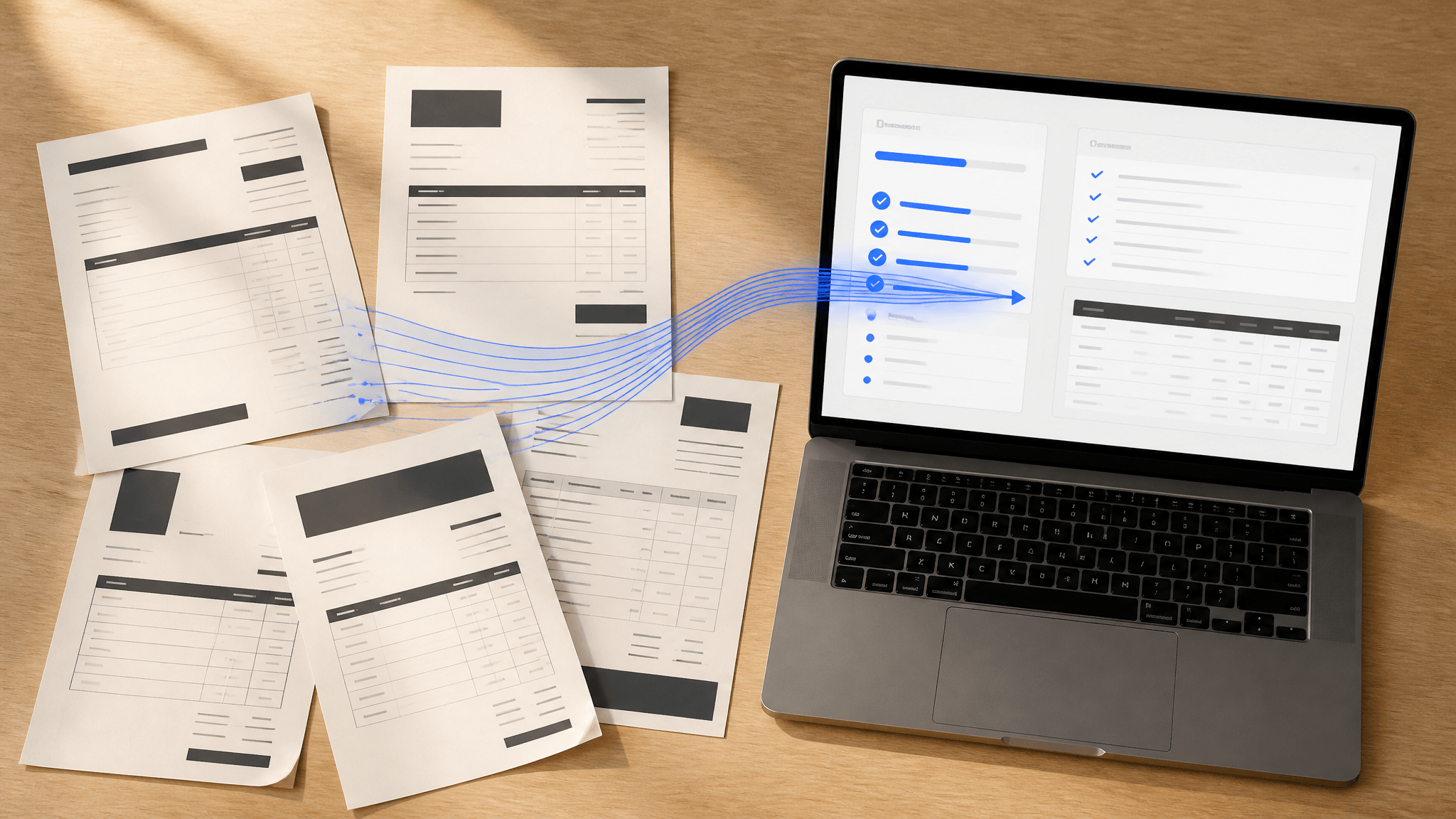
Why Manual Invoice Data Entry Is a Problem
Before fixing the process, see the cost:
- Time. A single invoice can take 5–15 minutes to key in by hand. At 200 invoices a month, that's 15–50 hours of pure entry.
- Errors. Manual typing introduces transposed digits, missed line items, and wrong tax rates that ripple into bad payments and incorrect books.
- Delay. Until data is entered, you can't reconcile, approve, or forecast. Entry backlog becomes a financial blind spot.
- Morale. Nobody joins finance to copy numbers from PDFs. Repetitive entry burns out skilled people on low-value work.
These are exactly the problems automated extraction solves, and the return on fixing them compounds every month.
What Does It Mean to Extract Data from Invoices?
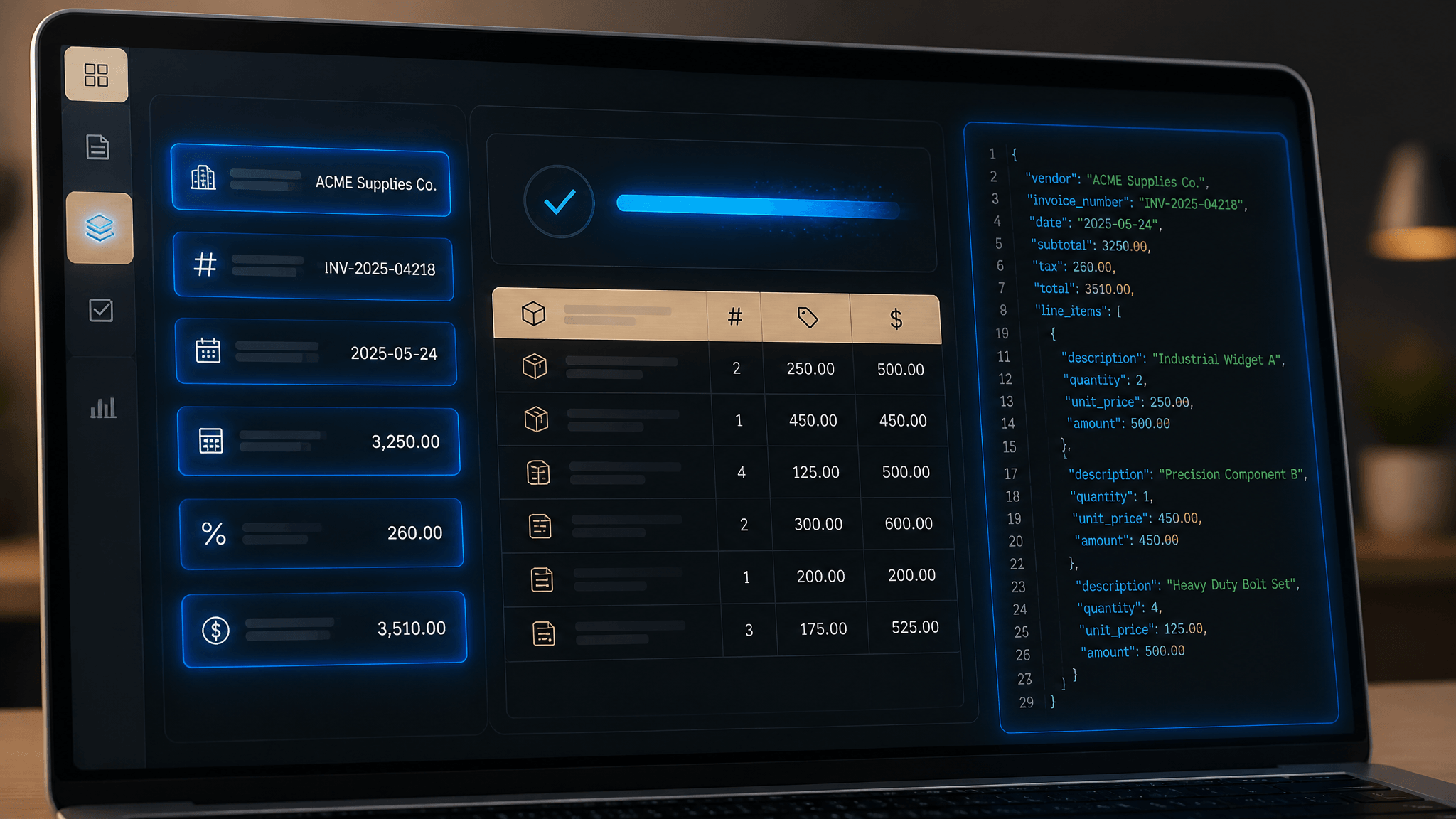
Extracting invoice data means pulling structured fields out of an unstructured document — a PDF, scan, or image — and turning them into rows and columns a system can actually use. The fields you typically need:
- Vendor / supplier name and tax ID
- Invoice number and issue date
- Due date and payment terms
- Line items (description, quantity, unit price)
- Subtotal, tax, and total amount
Under the hood, reliable invoice data extraction usually combines two technologies:
- OCR (Optical Character Recognition) reads the text out of a scanned or image-based PDF.
- AI / LLM parsing understands the layout and maps each value to the right field, even across wildly different invoice designs.
That combination — read, then understand — is the stack behind every modern extraction tool.
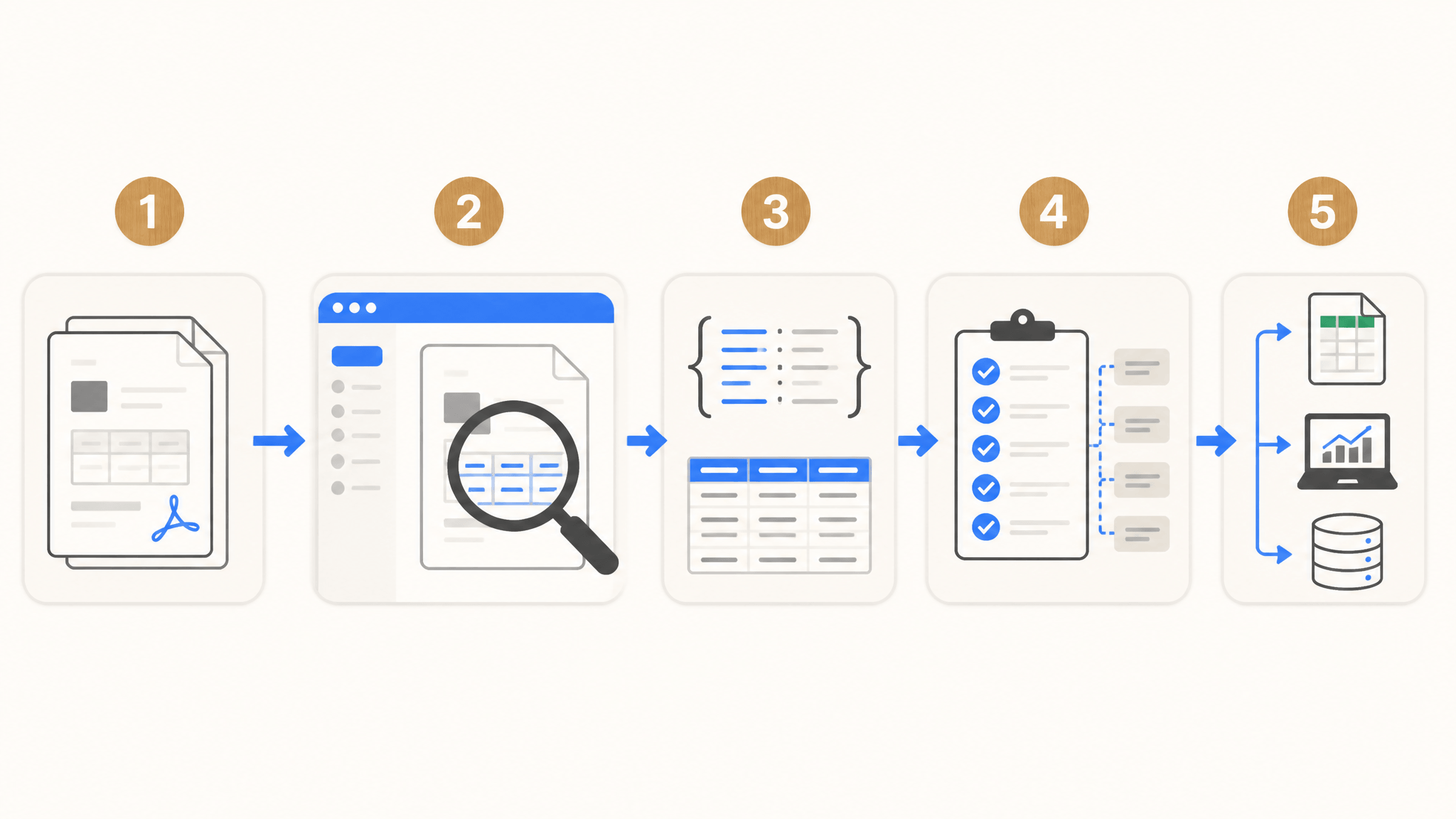
How to Extract Invoice Data Automatically — Step by Step
Here's a practical workflow you can set up this afternoon.
- Step 1: Collect your invoices. Gather the PDFs or scans you want to process. They can be mixed formats and layouts; modern AI handles variety well.
- Step 2: Choose an AI extraction tool. This is the core of the method. Instead of typing, you let a model read the document and extract data from invoices without manual copying. BankGPT's invoice scanner reads vendor, invoice number, dates, line items, and totals, then returns clean structured output.
- Step 3: Run the extraction. Upload one invoice or a batch. The tool OCRs the page and parses fields into JSON or a table. Accuracy on clean PDFs is typically very high.
- Step 4: Validate and map. Confirm the mapped fields match your accounting columns. Good tools let you save a template so future invoices of the same type map automatically.
- Step 5: Export and sync. Send the extracted data to your spreadsheet, accounting software, or database. No more retyping.
That's the whole loop. The aim is to capture each invoice once, correctly, and reuse the result everywhere.
Best Methods for Invoice Data Extraction
Not all approaches are equal. Three common paths:
| Method | How it works | Best for |
|---|---|---|
| OCR + AI parsing | Reads text, maps fields with AI | Most businesses; handles varied layouts |
| RPA (e.g., Power Automate) | Scripted rules across apps | Teams already on Microsoft stack |
| Manual template mapping | Fixed fields per known format | One consistent vendor only |
For most small and mid-sized teams, OCR + AI is the fastest path to value. To process high volume without building pipelines, an AI platform beats hand-rolled automation.
Common Invoice Extraction Mistakes to Avoid
- Trusting 100% accuracy blindly. Spot-check a sample before fully automating, especially on scans and photos.
- Ignoring layout drift. When a vendor redesigns its invoice, re-validate your field mapping.
- Forgetting tax lines. Make sure tax is captured as its own field, not buried in the total.
- Letting data sit in a silo. Extraction only pays off if the output flows into your spreadsheet or accounting system.
From Invoices to Excel: Automating the Export
Extraction is only half the job — the data has to land somewhere useful. Most teams want it in a spreadsheet. After you extract data from invoices, the next step is converting that output into clean rows.
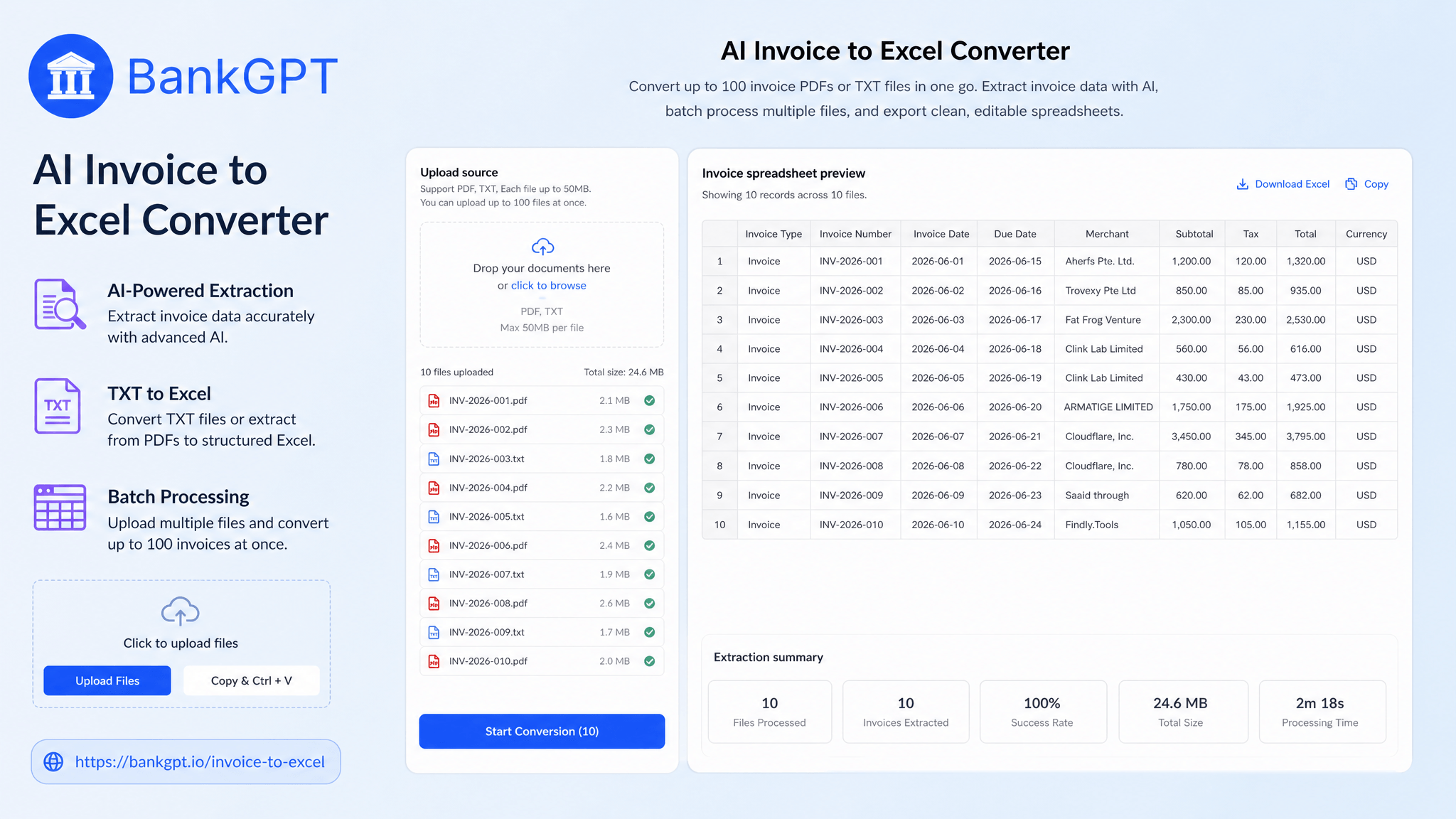
This is where an Invoice to Excel converter helps. BankGPT's AI Invoice to Excel converter takes structured text or JSON and turns it into a formatted Excel file in seconds, preserving columns, types, and totals. No formulas to wire up, no copy-paste.
Pair the two and you get a full pipeline: scan an invoice, capture the fields, and convert to Excel for fast reconciliation.
Don't Forget Receipts: Extracting Receipt Data Too
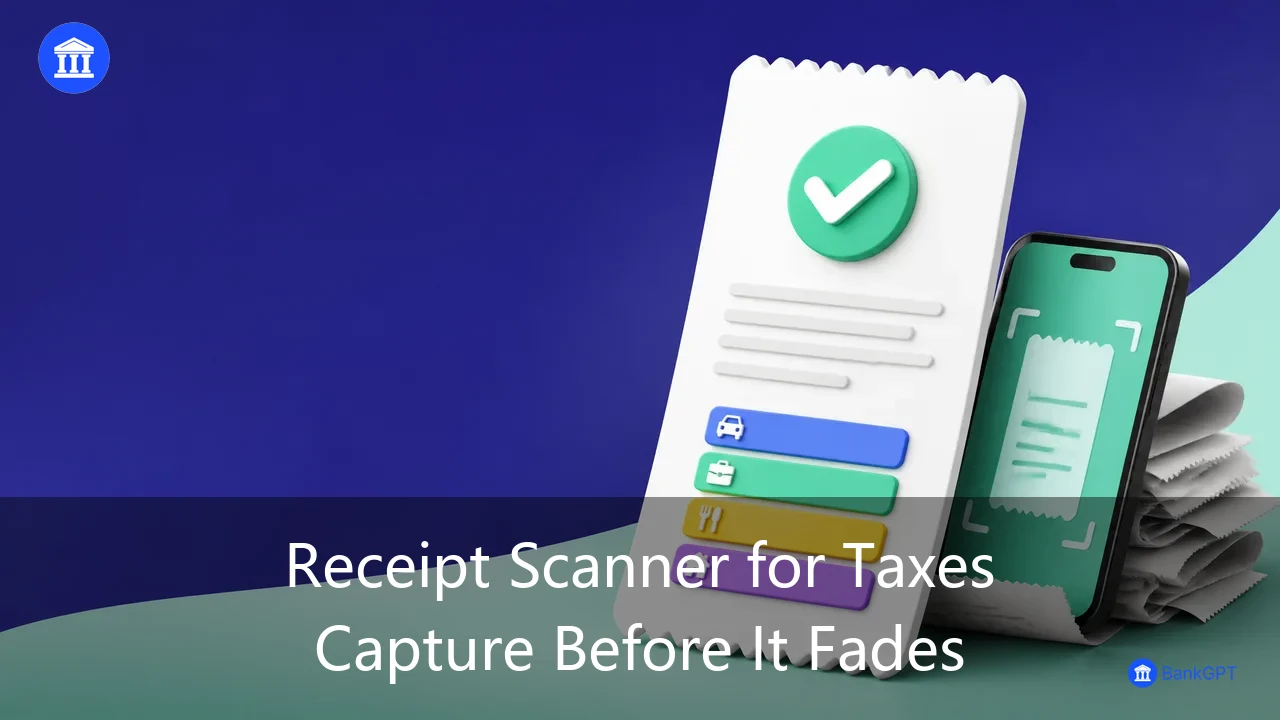
Invoices aren't the only paper trail. Receipts, bills, and expense snaps carry the same problem — and the same fix. A receipt scanner applies the same AI extraction to expense documents, pulling merchant, date, category, and amount so your expense reports build themselves.
When you extract data from invoices and receipts with one connected workflow, your entire document pile — not just invoices — becomes searchable, sortable data that lives in one place.
Real-World Use Cases
- Accounting firms clearing client inboxes of mixed invoices into tidy ledgers.
- E-commerce sellers reconciling marketplace payouts with supplier bills.
- Freelancers turning client invoices into trackable income records.
- Operations teams that extract data from invoices daily and push totals into dashboards for spend visibility.
The pattern is the same everywhere: unstructured documents in, structured data out.
How to Choose the Right Invoice Data Extraction Tool
Look for four things:
- Accuracy on real documents — not just clean PDFs, but scans and photos.
- Structured output — JSON, CSV, or Excel you can pipe into other systems.
- Batch and integration — can it handle volume and connect to your stack?
- Privacy — does your financial data stay on your device, or get uploaded?
BankGPT is built for exactly this: accurate extraction, clean Excel export, and local processing so sensitive invoice data never leaves your machine.
Frequently Asked Questions
What does it mean to extract data from invoices?
It means pulling structured fields — vendor, invoice number, dates, line items, totals — out of a PDF or scan and turning them into rows and columns a system can use, via OCR plus AI parsing.
Can I extract invoice data for free?
Yes. Several AI tools offer free tiers for invoice data extraction. BankGPT's invoice scanner lets you capture invoice fields without a subscription, which is enough for most small businesses.
How accurate is automated invoice data extraction?
On clean, text-based PDFs accuracy is typically very high. Scanned or photo invoices depend on OCR quality, but modern AI handles most real-world documents well. Spot-check a sample before fully automating.
What fields can be extracted from an invoice?
Commonly: vendor name and tax ID, invoice number, issue and due dates, line items with quantities and prices, subtotal, tax, and total. Some tools also capture payment terms and PO numbers.
Can extracted invoice data go straight to Excel?
Yes. After extraction, an invoice to Excel converter turns structured output into a formatted spreadsheet. BankGPT's converter does this in seconds, preserving columns and totals.
Is my invoice data safe when extracted with AI?
It depends on the tool. BankGPT processes your documents locally and exports files to your device, so your financial data is never uploaded to a server.
Do I need code to automate invoice extraction?
No. Modern AI invoice scanners are no-code: upload a file, get structured data back. You only need code for custom pipelines or deep integrations.
How long does it take to extract data from an invoice?
With an AI tool, a single invoice takes seconds. A monthly batch that used to take hours of manual entry is done in minutes.
Start Automating Your Invoice Data Today
You don't need a bigger team or a heavier ERP to get clean financial data. When you extract data from invoices with BankGPT, manual entry disappears: scan or upload, get structured fields in seconds, and convert them straight to Excel.
Try BankGPT's invoice data extraction to automate invoice capture, pair it with the receipt scanner for expenses, and use the AI Invoice to Excel converter to turn output into clean spreadsheets. Your books will thank you.