
Payment Receipt Generator: Turn Every Receipt into Usable Financial Data
Managing payment receipts should not mean sorting through email attachments, downloaded PDFs, screenshots, and paper slips at the end of every month. A reliable payment receipt generator helps businesses create professional proof-of-payment documents quickly, while a structured receipt workflow makes those records easier to track, reconcile, audit, and reuse.
Whether you run a small online store, provide freelance services, manage property payments, or process invoices for a growing company, payment receipts are more than customer confirmations. They are valuable financial records. When receipt data is organized properly, teams can reduce manual work, improve cash-flow visibility, resolve disputes faster, and prepare cleaner records for accounting or tax reporting.
This guide explains how receipt data can be used across business workflows, what to include in a payment receipt, and why a modern payment receipt generator can be a practical part of a digitized finance process.
Why Payment Receipts Matter
A payment receipt is a document confirming that a payer has completed a transaction. It usually includes the amount paid, payment date, method, payer and payee information, and a unique receipt reference number.
For customers, a receipt provides confidence and proof. For businesses, it supports financial control.
Without a consistent receipt process, common problems quickly appear:
- Customers ask whether their payment was received.
- Finance teams spend time matching bank transactions to invoices.
- Staff manually create receipt documents in Word or spreadsheets.
- Payment evidence is difficult to find when a dispute occurs.
- Duplicate payments or missing payments go unnoticed.
- Accounting records become fragmented across multiple systems.
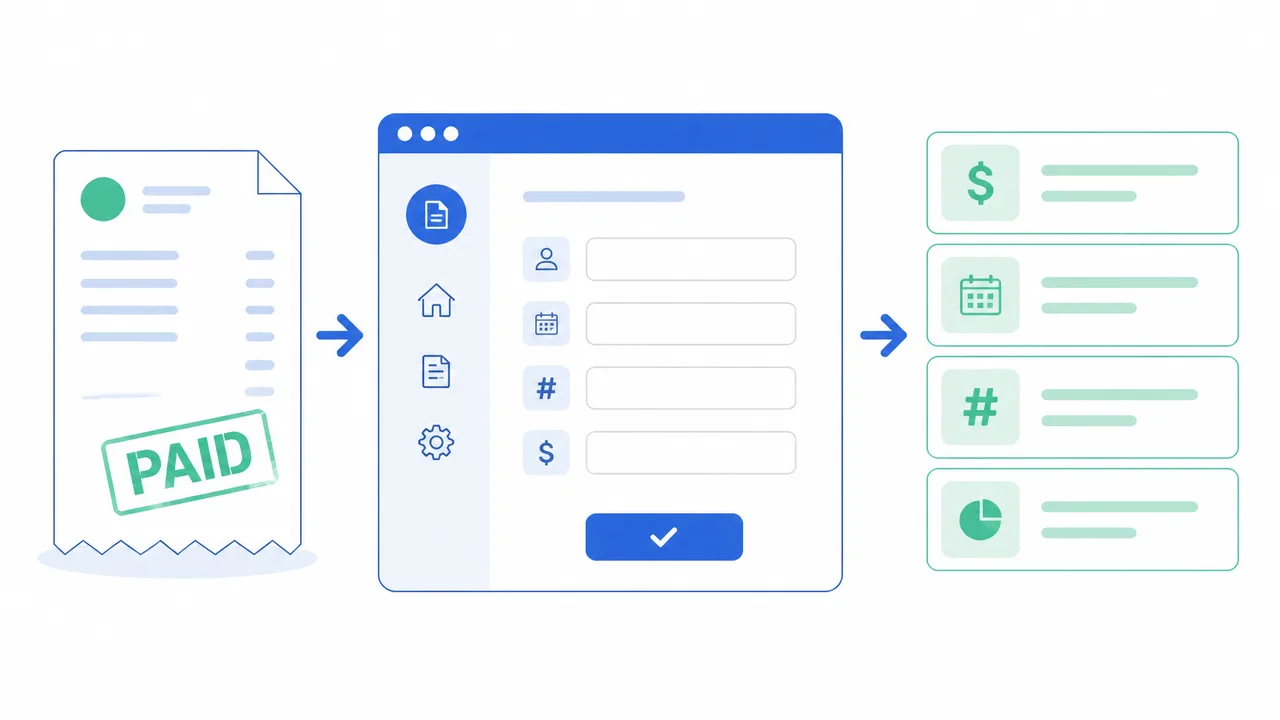
A payment receipt generator standardizes the creation of receipts so every document follows the same structure. Instead of drafting a receipt from scratch, users can enter transaction details, generate a clear document, and share it with the payer immediately.
More importantly, standardized receipts create structured data. That data can later support reconciliation, expense tracking, reporting, and operational analysis.
What Is a Payment Receipt Generator?
A payment receipt generator is a tool that creates payment confirmation documents from transaction information. It can help a business produce a receipt after receiving payment by cash, bank transfer, card, PayPal, Stripe, cheque, mobile wallet, or another payment channel.
A typical payment receipt generator lets you enter details such as:
- Receipt number
- Payment date
- Customer or payer name
- Business or recipient name
- Amount received
- Currency
- Payment method
- Related invoice number
- Description of goods or services
- Tax amount, if applicable
- Remaining balance
- Notes, terms, or thank-you message
Once generated, the receipt can be saved, printed, sent to the customer, or stored with related accounting documentation.
Using a payment receipt generator is particularly useful for businesses that need a clean, repeatable way to issue payment confirmations without building invoice templates manually each time.
Payment Receipts as Structured Financial Data
Many businesses still treat receipts as static documents. A receipt is created, emailed, downloaded, and then forgotten until someone needs to find it again.
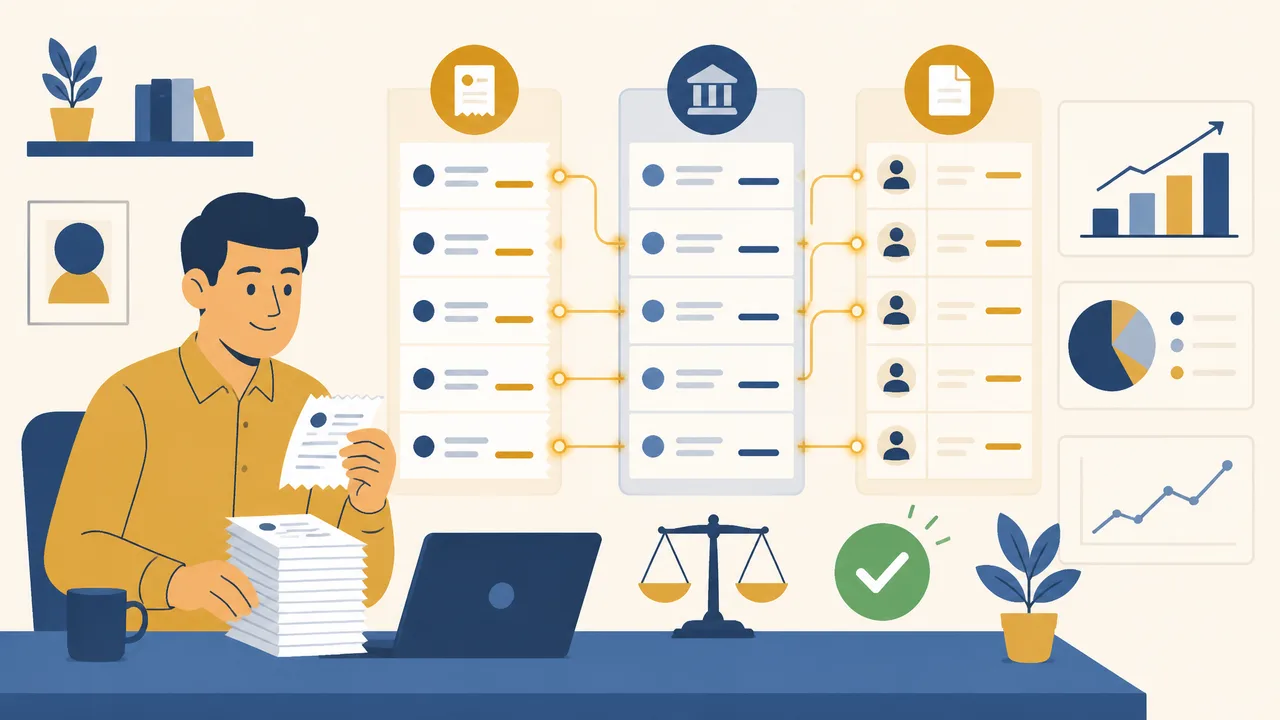
However, every receipt contains transaction-level data that can support broader financial operations. A receipt can be transformed from a simple PDF or image into a usable financial record.
1. Payment reconciliation
Payment reconciliation is the process of matching money received with the correct invoice, customer, order, or service agreement.
For example, a company may receive 50 bank transfers in a week. The bank statement shows the transaction date, sender name, amount, and payment reference. The finance team still needs to determine which invoice each transaction belongs to.
A structured payment receipt can include:
- Invoice reference number
- Customer name
- Amount paid
- Payment channel
- Transaction date
- Payment status
- Outstanding balance
With consistent receipt data, the business can more easily compare receipts against invoices and bank records. This reduces the risk of marking an invoice as paid when the amount is incomplete, duplicated, or associated with the wrong customer.
A payment receipt generator supports this process by ensuring that the key payment fields are captured every time.
2. Customer support and payment disputes
Payment disputes are easier to resolve when payment records are complete and accessible.
A customer may claim that they paid an invoice but did not receive service access. A tenant may ask for proof of rent payment. A client may need a confirmation for reimbursement. A supplier may request evidence that an outstanding balance was settled.
In these cases, a receipt should clearly show:
- Who paid
- Who received the payment
- How much was paid
- When payment was received
- What the payment was for
- Which invoice, order, booking, or contract it relates to
A well-organized receipt record reduces back-and-forth communication. Instead of searching email threads or screenshots, the business can retrieve a standardized receipt and provide a clear answer.
3. Bookkeeping and tax documentation
Receipts support routine bookkeeping by documenting actual incoming payments. While the exact tax and compliance requirements vary by jurisdiction, payment evidence is generally valuable for maintaining an accurate financial trail.
Finance teams can use receipt data to track:
- Revenue received by period
- Partial payments
- Deposits and advance payments
- Refund-related transactions
- Tax-inclusive and tax-exclusive amounts
- Payment-method distribution
- Customer balances
For businesses that work with accountants, standardized documents also make handovers cleaner. Rather than sending unstructured files from multiple payment platforms, teams can organize receipt records by customer, date, invoice number, project, or reporting period.
A reliable payment receipt generator makes it easier to create consistent documents that can fit into this financial recordkeeping process.
4. Cash-flow visibility
Invoices show what a business expects to receive. Receipts show what the business has actually received.
That distinction matters for cash-flow management.
A company may have a large amount of outstanding invoiced revenue but still face short-term cash constraints if customers pay late. Receipt data allows teams to review completed payments by day, week, month, customer segment, or payment method.
For example, a service agency could use payment receipt data to identify:
- Which clients pay on time
- Which services generate faster collections
- Which invoices are often partially paid
- Whether bank transfers take longer to confirm than card payments
- Whether payment delays are increasing over time
When receipts are created consistently, transaction history becomes more useful for operational decisions rather than merely serving as proof of payment.
5. Expense reimbursement and internal controls
Payment receipts are also useful inside organizations. Employees may need proof that a vendor, contractor, or client payment was received. Operations teams may require documentation before releasing goods or closing a project. Managers may need evidence of payment for approval processes.
A standardized receipt workflow helps establish internal controls because every payment can be documented in a predictable format.
For instance, a business can require that every completed customer payment includes:
- A matching invoice number
- A unique receipt number
- A named payment method
- A recorded payment date
- A documented outstanding balance, if any
This makes it easier to review transaction history, spot missing records, and create more dependable finance operations.
Essential Elements of a Professional Payment Receipt
A receipt should be easy for both the payer and the business to understand. The document does not need to be overly complex, but it should contain enough information to confirm the transaction clearly.
| Receipt Field | Why It Matters |
|---|---|
| Receipt number | Creates a unique reference for searching and auditing |
| Issue date | Shows when the receipt was generated |
| Payment date | Records when funds were actually received |
| Payer details | Identifies the customer, tenant, client, or buyer |
| Payee details | Identifies the business or person receiving payment |
| Amount received | Confirms the exact payment value |
| Currency | Prevents ambiguity in international transactions |
| Payment method | Shows whether payment was made by cash, transfer, card, or wallet |
| Invoice or order number | Links the payment to the original transaction |
| Description | Explains what the payment covers |
| Balance due | Clarifies whether the payment settles the account in full |
| Notes or terms | Allows for useful context, such as “Deposit received” |
A payment receipt generator can help ensure that these fields are not accidentally omitted. Consistency is especially important when multiple staff members issue receipts or when a business processes many transactions each month.
Common Payment Receipt Use Cases
A payment receipt generator can be useful across many industries because nearly every business needs a way to confirm payment.

Freelancers and agencies
Freelancers often receive deposits, milestone payments, and final project payments. A receipt can confirm exactly what portion of a project fee has been paid and whether a balance remains.
For example:
Receipt No. PR-2026-0148
Payment received: USD 1,000
Payment method: Bank transfer
Related invoice: INV-2026-031
Description: 50% deposit for website design project
Remaining balance: USD 1,000
This gives both the freelancer and the client a clear financial record.
E-commerce sellers
Online sellers may need to provide payment confirmation for direct bank transfers, wholesale orders, custom orders, or offline payment arrangements. A professional receipt helps improve buyer trust and gives customer support teams a searchable reference.
Landlords and property managers
Rent payments, security deposits, maintenance reimbursements, and utility contributions all benefit from clear payment documentation. A receipt can help tenants prove payment history and help property managers track monthly collections.
Consultants and service providers
Lawyers, accountants, coaches, clinics, tutors, repair services, and marketing consultants often receive payments before, during, or after service delivery. Issuing a receipt promptly can make the business appear more professional while reducing customer questions.
Nonprofits and community organizations
Organizations that collect membership fees, donations, event registrations, or program payments can use receipts to confirm funds received and maintain organized records for reporting.
Why Use BankGPT for Receipt Workflows?
Modern finance operations increasingly need more than a basic receipt template. Businesses need tools that are fast, accessible, standardized, and suitable for digital recordkeeping.
BankGPT can fit naturally into workflows where teams need to create payment receipts and work with financial documents more efficiently. Rather than relying on disconnected templates, manual file naming, and repeated formatting tasks, businesses can use a focused receipt-generation workflow to create clearer payment evidence.
Key advantages of using BankGPT for receipt-related work include:
- Fast document creation: Generate a professional receipt without repeatedly designing layouts or formatting fields manually.
- Structured transaction details: Capture important information such as payment amount, payer, payment date, receipt number, and invoice reference in a consistent format.
- Improved customer communication: Send a clear confirmation after payment, helping customers understand that their transaction has been received and recorded.
- Better record organization: Standardized receipts are easier to store, search, compare, and associate with invoices or payment records.
- Flexible business use: Use receipt documents for client services, sales transactions, deposits, rent, reimbursements, subscriptions, and other payment scenarios.
- Reduced manual errors: Reusable receipt fields can help minimize missing dates, incorrect amounts, inconsistent receipt numbers, and unclear payment descriptions.
- Professional presentation: A clean payment receipt reinforces trust and makes a business look more organized to customers, partners, and internal finance teams.
For a growing business, the goal is not simply to generate a document. The goal is to turn each confirmed payment into a traceable, usable record that supports the wider finance workflow.
How to Create a Better Payment Receipt Process
A payment receipt generator works best when it is part of a simple, repeatable process.
Step 1: Use a clear receipt numbering system
Create a unique numbering format, such as:
PR-YYYY-####
For example, PR-2026-0001 is easier to search than a generic filename such as receipt-final-new.pdf.
A predictable numbering system helps avoid duplicate records and gives customers a reference when they contact support.
Step 2: Link each receipt to an invoice or order
Whenever possible, include the invoice number, order number, booking ID, or contract reference on the receipt. This creates a direct connection between the expected payment and the payment actually received.
Step 3: Record the payment method
“Paid” is often not enough. Record whether the money arrived through bank transfer, cash, credit card, PayPal, Stripe, cheque, or another method.
This helps teams investigate payment issues and analyze which channels customers prefer.
Step 4: State the remaining balance
For deposits and partial payments, always show the amount still due. This prevents confusion and makes collection follow-up easier.
For example:
- Total invoice value: USD 5,000
- Payment received: USD 2,000
- Remaining balance: USD 3,000
Step 5: Store receipts with related records
Keep receipts connected to their relevant invoice, customer, order, or project. A structured storage approach saves time during month-end reconciliation, tax preparation, disputes, and audits.
Frequently Asked Questions
What is a payment receipt generator?
A payment receipt generator is an online tool that creates proof-of-payment documents from transaction details. You enter the payer, amount, payment date, payment method, and related invoice number, then generate a clean, professional receipt that can be downloaded, printed, or sent to the customer.
Is a payment receipt the same as an invoice?
No. An invoice is a request for payment issued before the customer pays, while a payment receipt confirms that payment has actually been received. Sending a receipt after each completed payment helps customers confirm the transaction and gives the business a reliable financial record.
What information should a payment receipt include?
At minimum, a payment receipt should include the receipt number, payment date, payer and payee details, amount received, currency, payment method, and a description of what the payment covers. Adding the related invoice number and any remaining balance makes reconciliation and follow-up much easier.
Can I use a payment receipt generator for rent and deposits?
Yes. Rent payments, security deposits, retainers, and milestone payments all benefit from clear documentation. A receipt that states the amount received, the payment period, and the remaining balance helps landlords, tenants, and clients keep records consistent and dispute-free.
Final Thoughts
A payment receipt is a small document with a large operational role. It confirms a transaction, improves customer confidence, supports bookkeeping, and creates useful payment data for the business.
Using a payment receipt generator helps organizations create consistent receipts faster, reduce manual formatting work, and build a more reliable financial trail. When each receipt includes structured details such as payment amount, payer, invoice reference, payment date, and balance due, the business gains more than proof of payment, it gains data that can support reconciliation, reporting, customer service, and cash-flow management.
If you want a simpler way to create professional payment confirmations, try the payment receipt generator and make every completed payment easier to document, track, and manage.
Jordan Lee, small business owner and FinTech tools reviewer.